DevSecOps Platform
A modular platform that lets each security tool stand alone or work as a suite, for securing every phase of automotive software development.
Read the full article- Automotive cybersecurity
- DevSecOps
- B2B SaaS
- Platform UX
- Design system
- Navigation model
- Product
- Unified platform for automotive software security
- Industry
- Platform · DevSecOps
- My role
- Led UX for the platform and its core products
As more security tools were developed within the company, I consistently pushed for a more unified experience that could serve as a foundation for future growth.
Once the strategic decision was made, I took the lead on UX — designing both the platform layer (navigation, structure, user management, admin, projects) and the individual products within it.
Some tools were built on an older design system, others were newly created. I helped bridge the gap between them through shared logic, structure, and interface patterns.
One of the most critical UX challenges was designing a navigation model that could serve very different products while remaining intuitive, modular, and scalable.
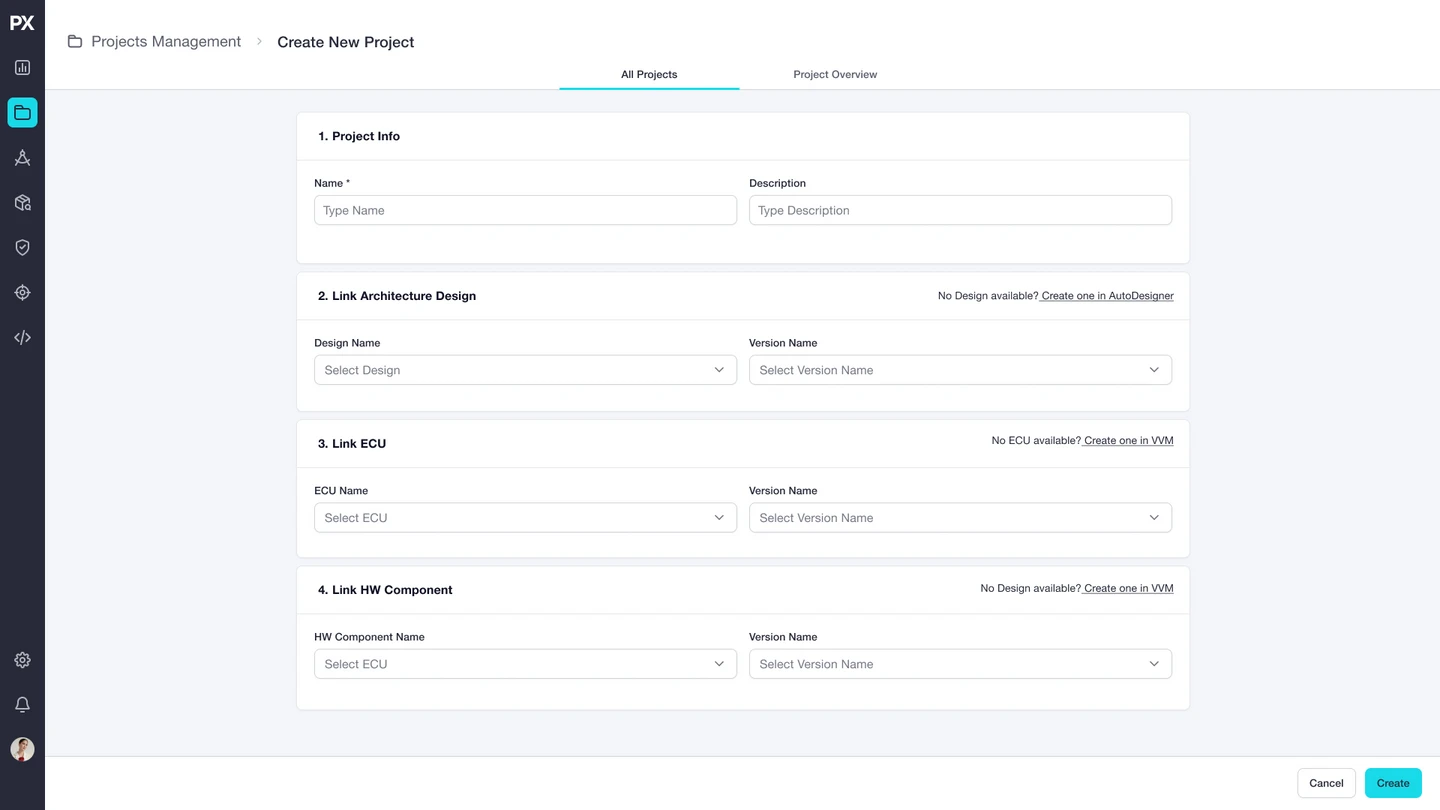
I also led the design of a new Projects area, allowing users to group and access data across tools — even if they only used one.
Navigation
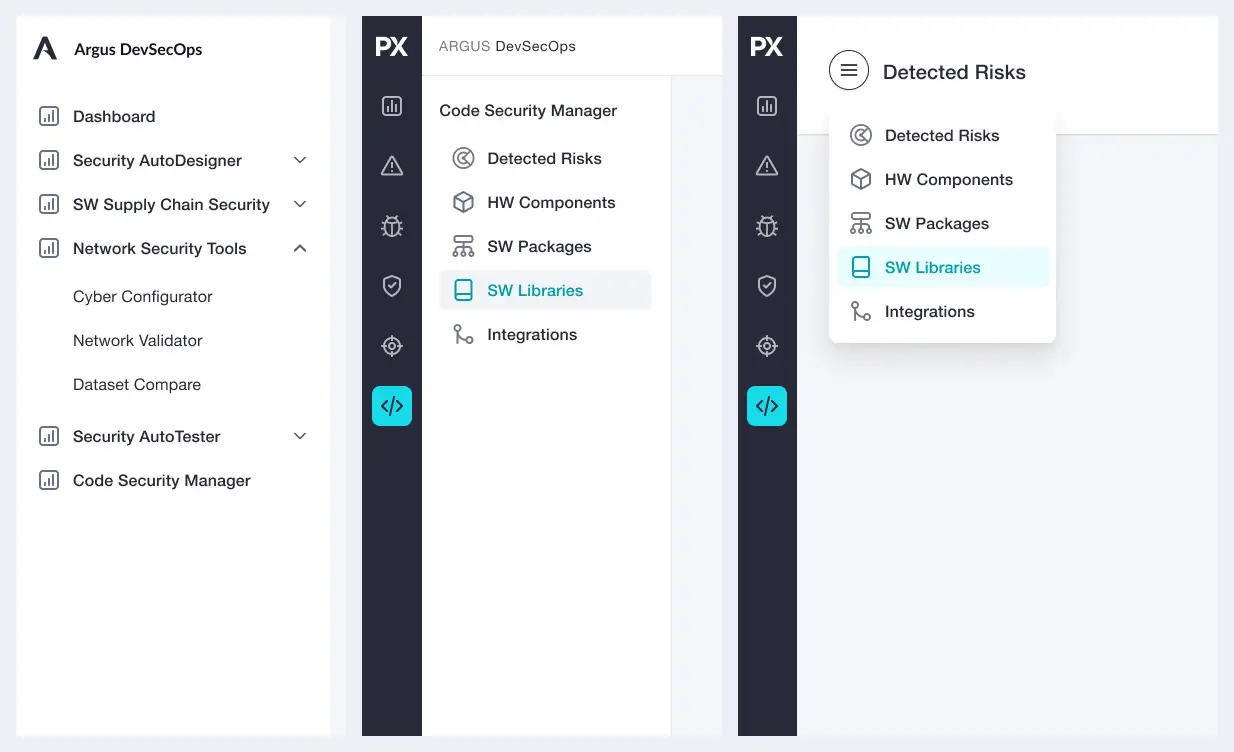
Choosing the navigation for the platform's architecture
The products already existed as standalone tools. Three navigation options were explored for bringing them into one platform: a full menu of products, an icon rail with a secondary menu, and an icon rail with a dropdown.
Navigation
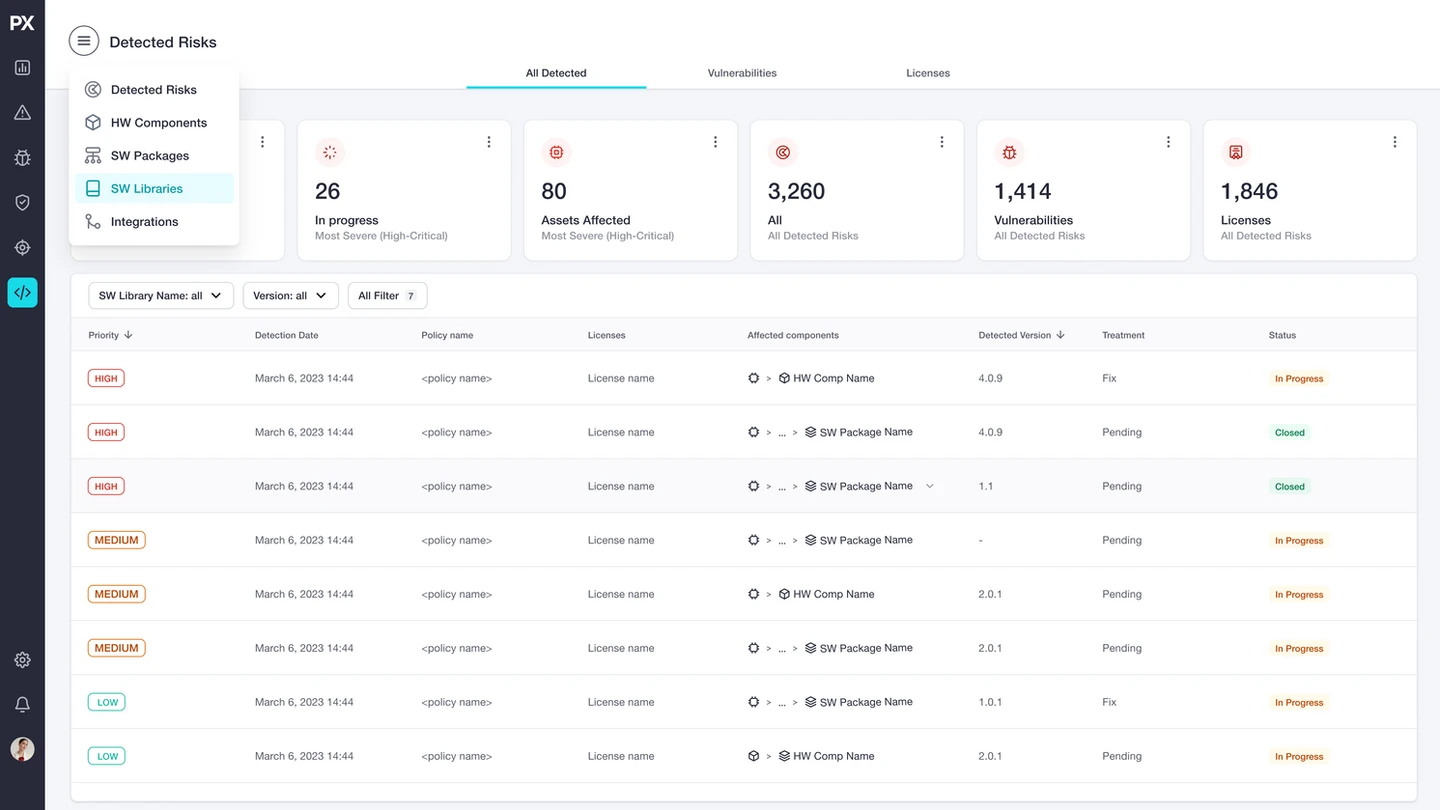
The menu in context
The Detected Risks menu, opened over the product screen.
Product view
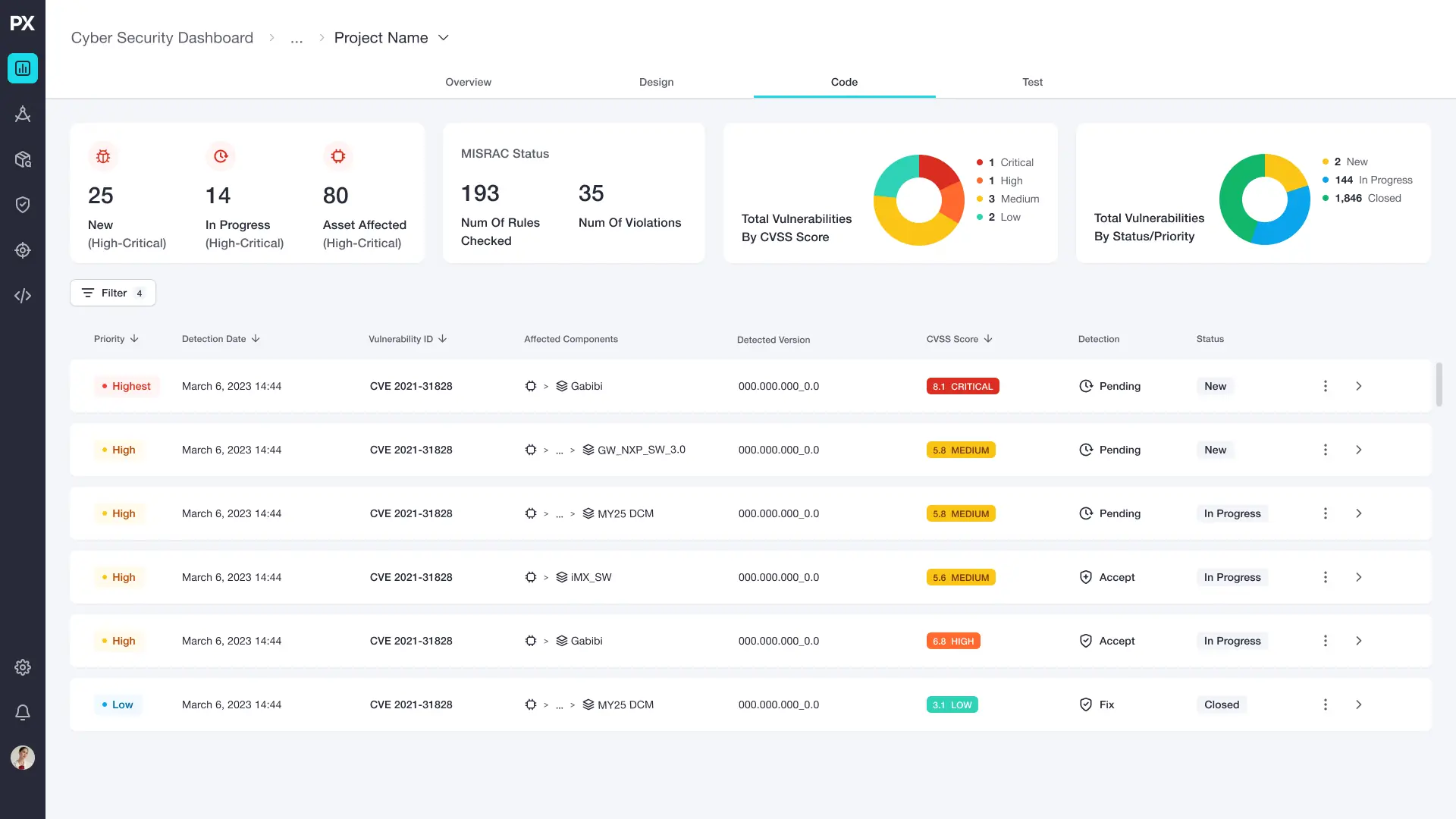
Each product, in the same shell
A shared navigation with product-specific and cross-product layers.
Projects
A hub that links workflows across tools
Group and access data across tools, even if a team uses only one.
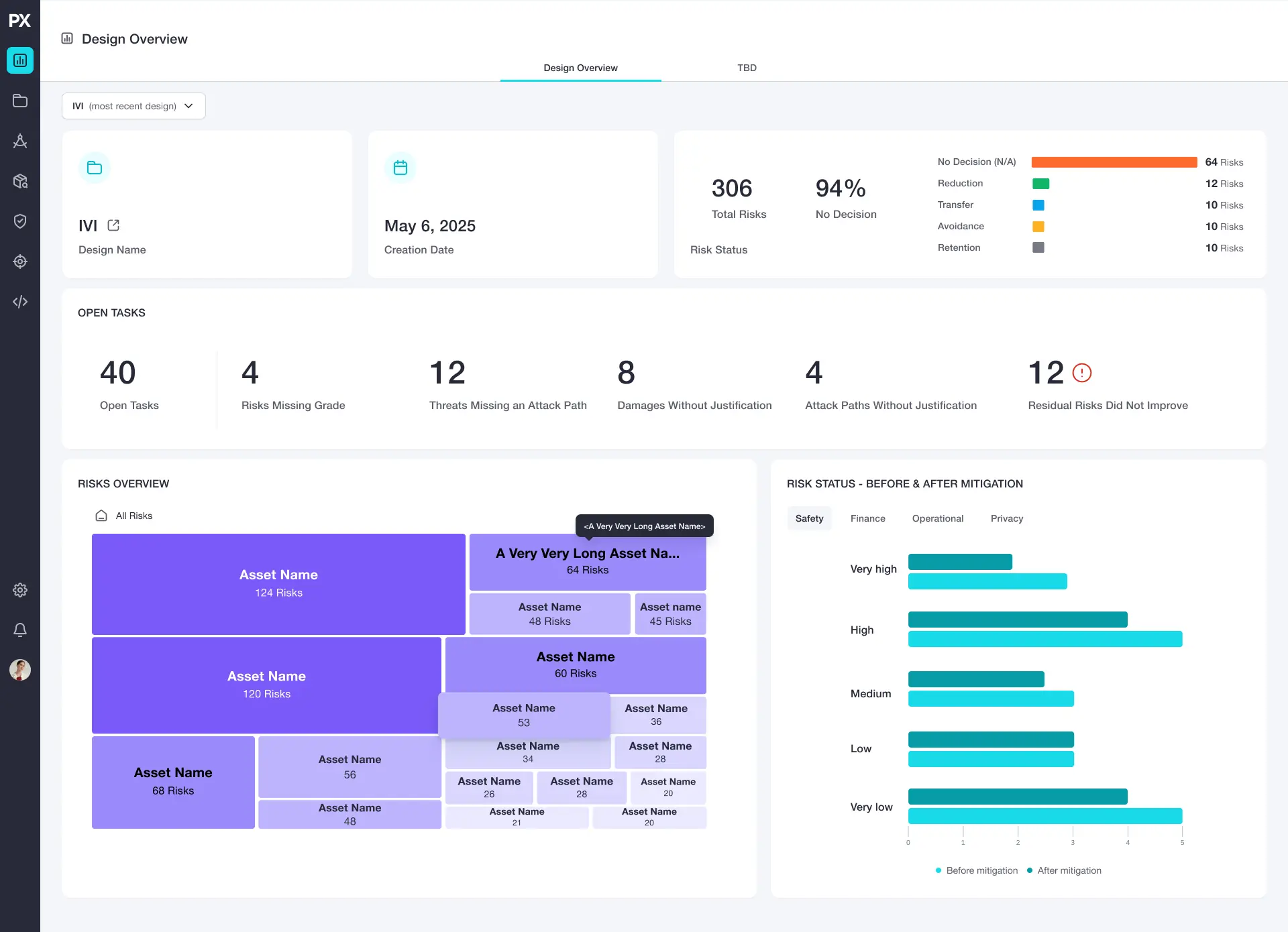
Executive dashboard
The state of a design at a glance
Open tasks, risks by decision, and the risk status before and after mitigation.
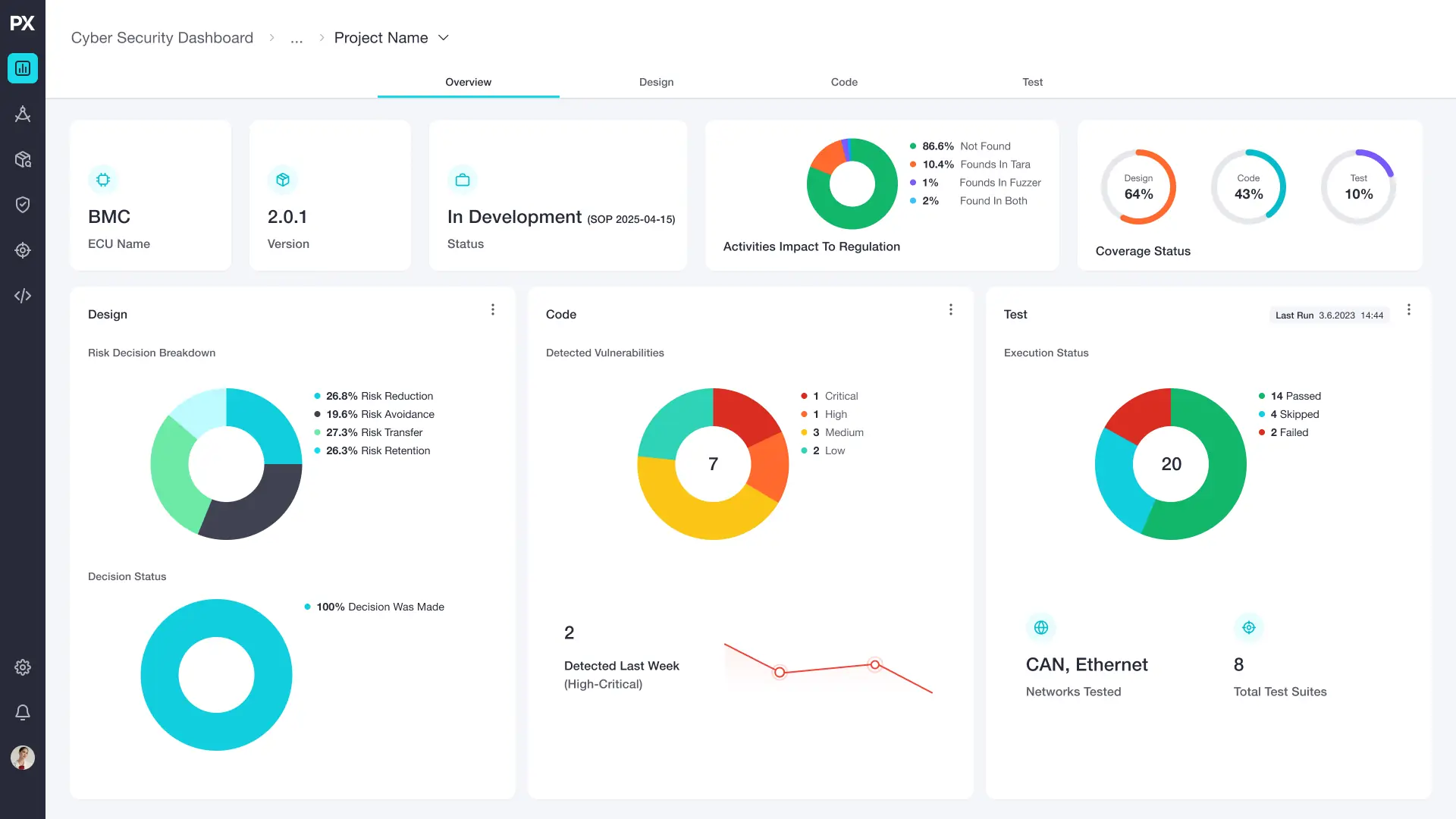
Product dashboard
One overview across Design, Code and Test
The state of a project at a glance, with a tab for each phase.
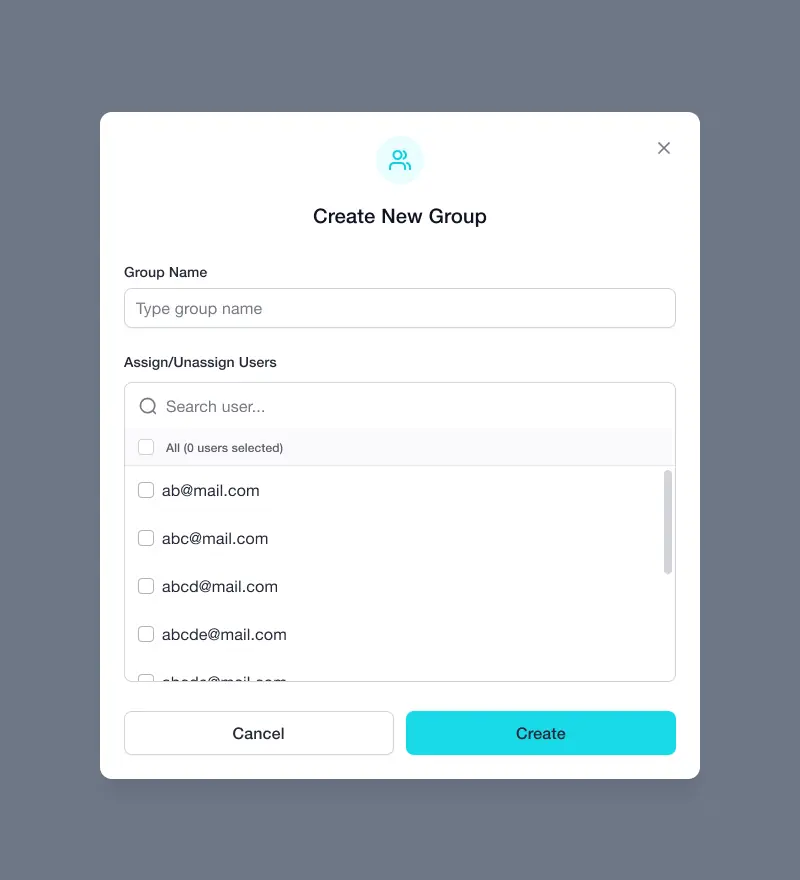
Users
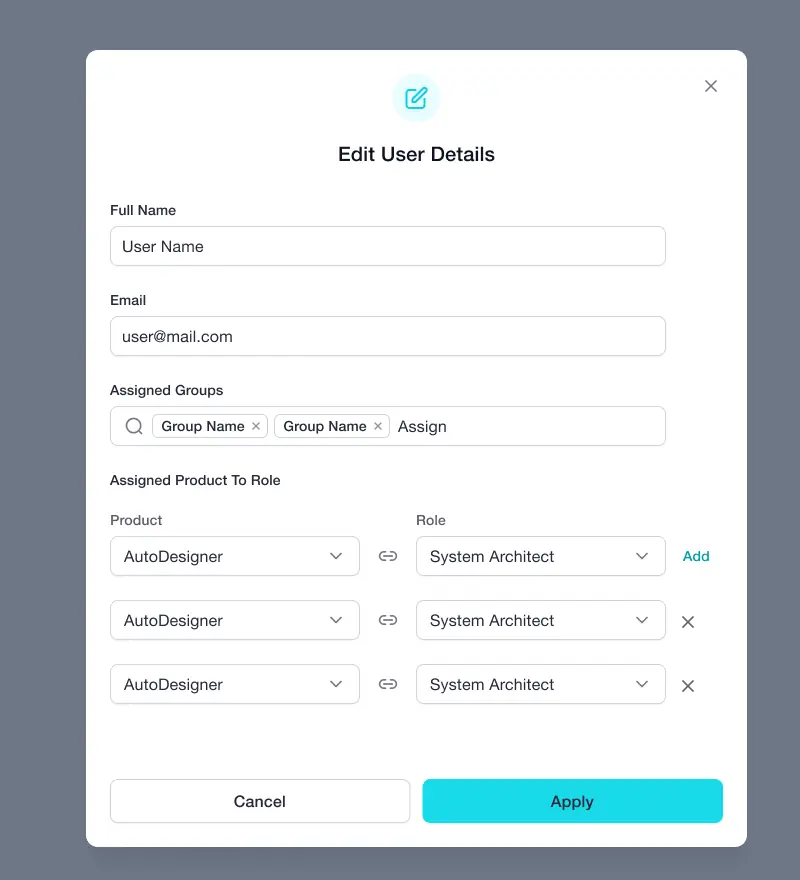
Users, groups and roles
Multi-user management for security and engineering teams.
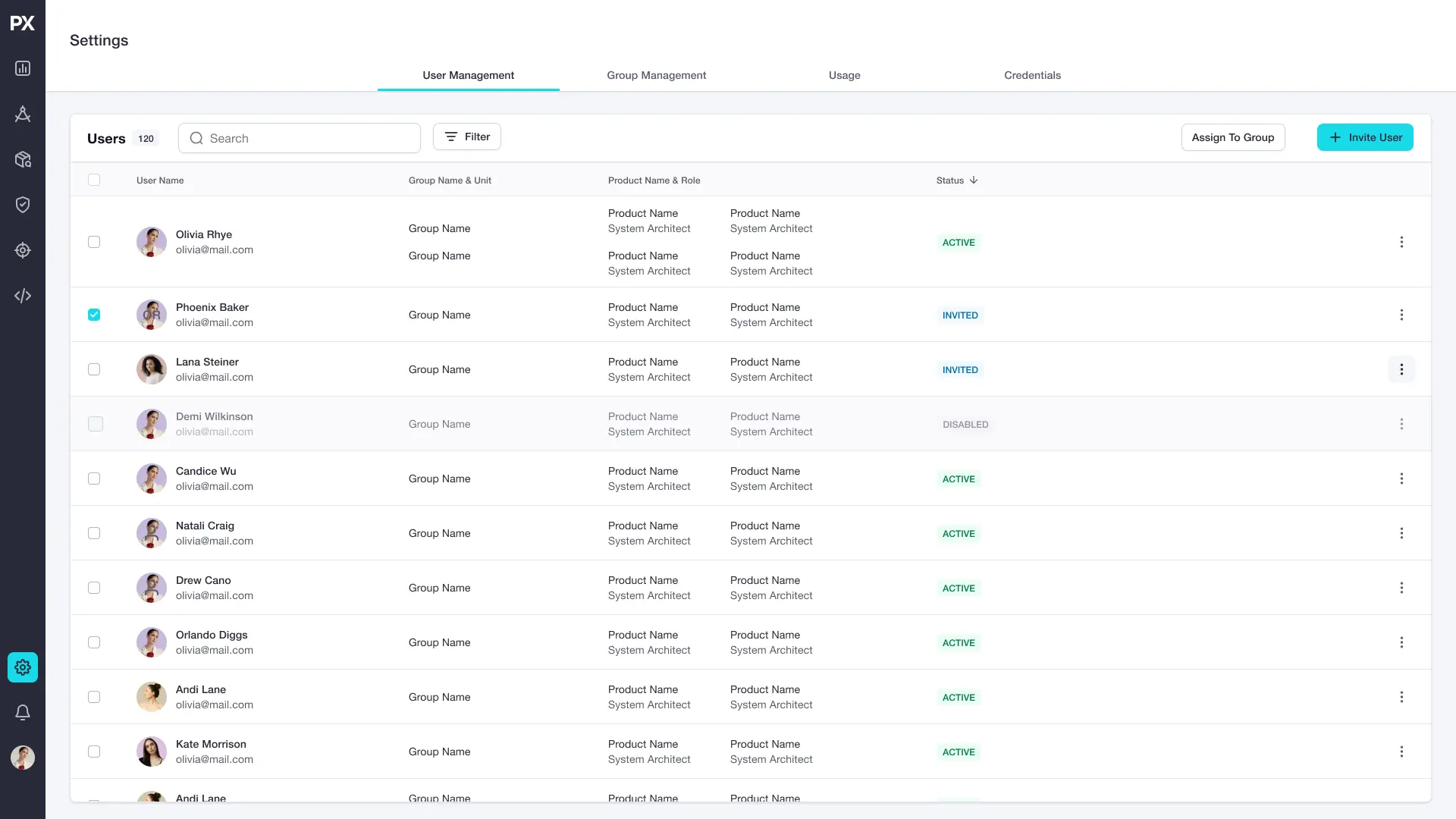
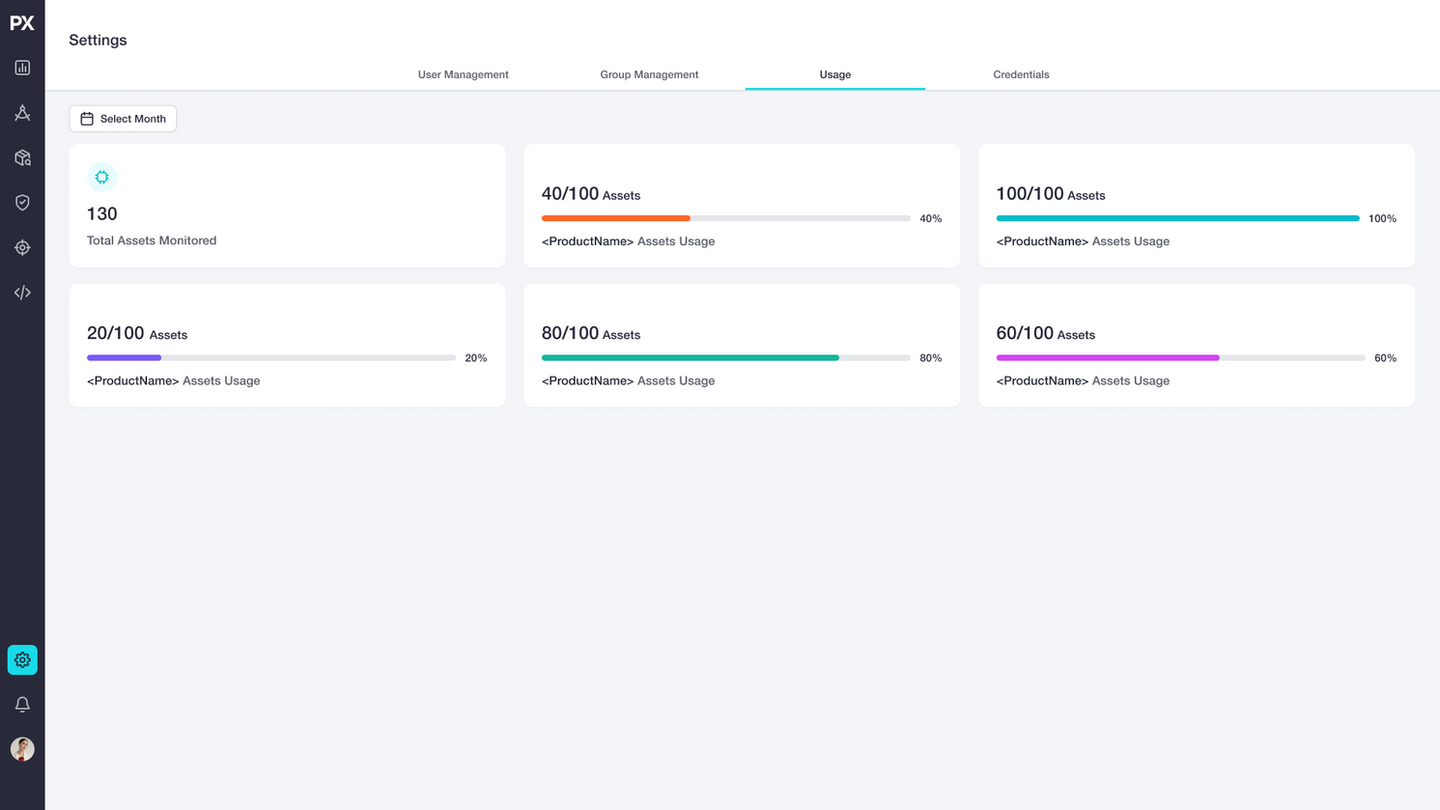
Settings
Settings in one place
Tabs for user management, group management, usage and credentials.
Challenge
Products were built independently, with different entry points and flows, and the platform had to support single tools and a full suite, in the cloud and on-prem, without rework.
Decision
A modular UX framework: a shared navigation system with product and cross-product layers, a Projects hub that links workflows across tools, and consistent editing patterns and terminology.
Impact
- After I advocated for a platform-based approach and the strategic decision was made, I led the UX of the platform and its core products.
- The design strategy is documented in a published article: "From Standalone Tools to SaaS".